Event website with Voog
If you need a more advanced multi-page website for your event, we suggest using Voog. It is a powerful yet easy-to-use tool for creating and managing event websites that look great on both mobile and desktop screens. You can add Fienta's checkout process to your website in just a few simple steps.
Create your event website with Voog
Go to voog.com, choose a design, and start building your content.
Add a link to Fienta ticketing
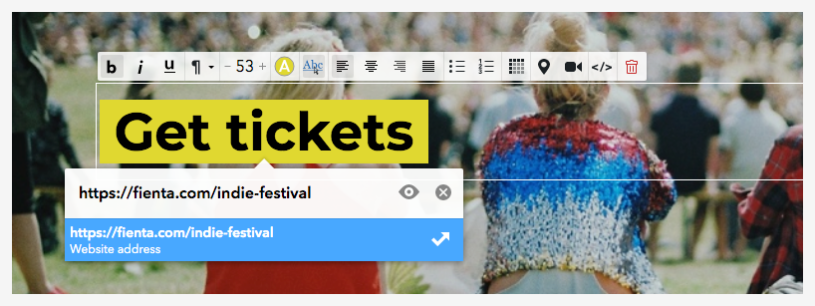
Add a link to your website that points to your event on Fienta:
Embed the checkout process on your site
Optionally, you can embed the entire checkout process on your own website. All you need to do is add one line of code to your site. You can add it to the same section where you entered your link. Click the </> button and paste the following line:
<script src="https://fienta.com/embed.js"></script> Like this:

Example
Here's an example of an event website created with Voog:

The same page with embedded ticketing:
