Duplicating an event
Creating a copy of an existing event takes only a few clicks. The copy retains the original event’s title, description, date and time and other details, as well as its ticket types and prices. Relationships between ticket types, such as visibility and selectability, are also copied. If the original event had a seating plan, it is copied to the new event as well.
Creating a copy
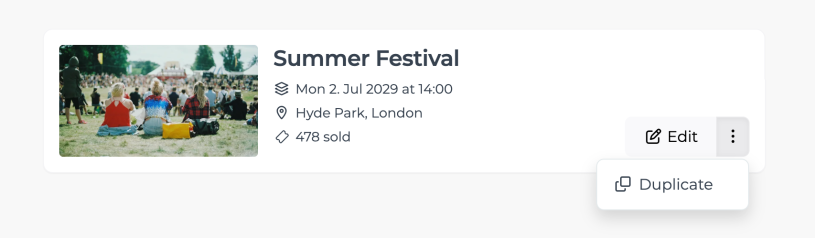
Open your list of events and find the event you want to duplicate.
Select "Duplicate" from the three-dot menu.
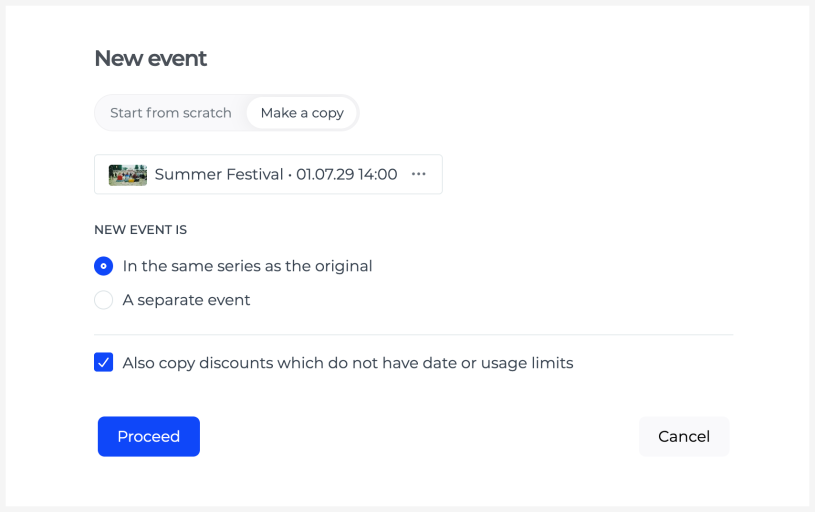
Depending on why you are duplicating the event, select one of the following options:
“A separate event” creates a new independent event.
“In a new series with the original” creates another occurrence of the event and adds it to the same series as the original event.
If the original event uses discount codes, you can also copy codes that have no date or usage limits.
Once the copy has been created, review it before publishing and update its details as needed, such as the title, date, venue and sales times.