Customising automated email text
Fienta automatically sends emails to buyers on your behalf, for example, tickets, invoices, unpaid invoice reminders and refund confirmations. You can preview these emails in your organiser settings and customise the wording to suit your communication style.
Customising emails for all your events
You can view the emails used by your organiser account under "Organiser settings" -> "Emails", where they are grouped by purpose. Some emails appear only when the corresponding feature is used by at least one of your events. These email texts are the defaults for all events in your organiser account.
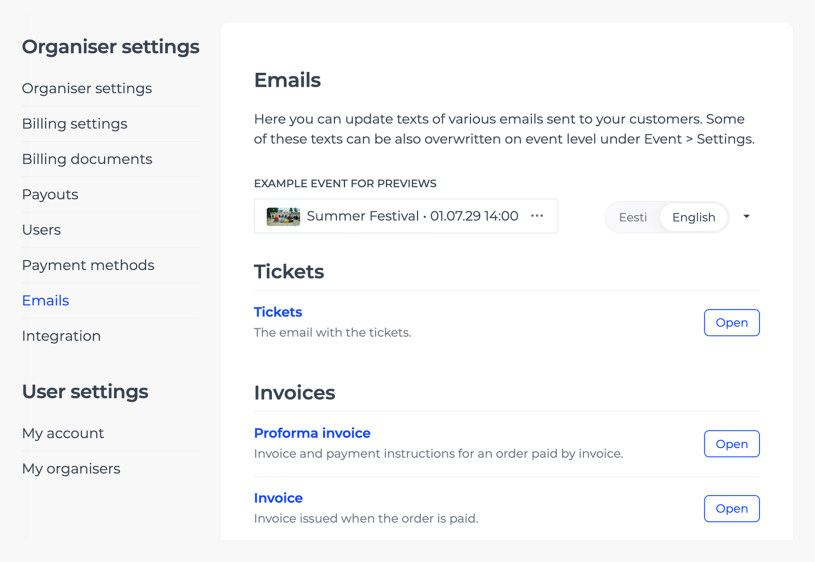
You need at least one event on your account to preview emails. Select an example event, then open the email you want to review or edit. You can also send yourself a test email to see how it looks in your inbox.
Emails may contain placeholders that are automatically replaced with the relevant details, such as the event name or invoice number, when the email is sent. Some placeholders are required and cannot be removed.
If your events are in several languages, review and customise the text in each relevant language.
Customising emails for a specific event
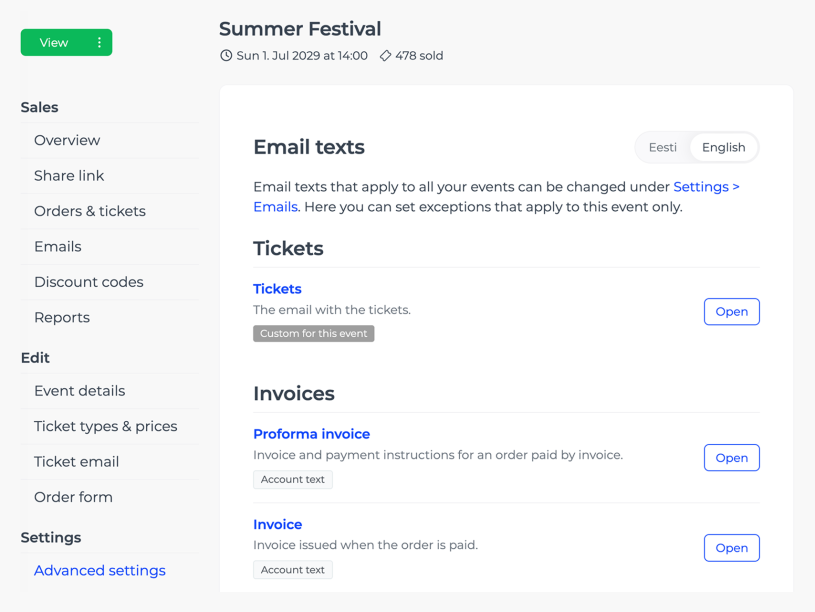
Some email texts can also be customised for an individual event under "Advanced settings" -> "Email texts". Text saved for a specific event overrides the corresponding text in your organiser settings.